
AI Tools
AI Product Description Prompt: Template and Checked Example
Copy an AI product description prompt, fill in your product details and check the draft. Includes a simple example and free worksheet for online sellers.
A useful AI product description prompt starts with product details you have checked. If you sell a cotton-canvas pouch with a polyester lining, the description should say that clearly. It should not add “organic” or “waterproof” without proof.
If you run a small online shop, use these steps for a product page or a description you share with a customer. Copy the prompt, fill in your details and check the result. The sample below shows how, and the free worksheet (.md) helps you keep your notes together.
About the example: The pouch, records and descriptions below are made up to explain the steps. We have not tested a real pouch or compared AI tools. You must check your own product before using the copy. Linked Google and Shopify guidance was rechecked on 27 October 2026. There are no affiliate links.
Copy This AI Product Description Prompt
Fill in the brackets, then add your checked product details at the bottom. Use only information you are allowed to share with your AI tool. Leave out customer details, private supplier prices and order records.
Write a product description using only the CHECKED PRODUCT DETAILS below.

Product code: [your code, plus the exact colour, size or model]
Customer: [who the product is for]
Tone: [plain, helpful English]
Product keyword: [optional; must match the checked details]
Where I will use it: [store page, marketplace or customer message]

Rules:
1. Keep materials, quantities, measurements and units exact.
   Say whether measurements are outside dimensions or usable inside space.
2. Do not invent benefits, fit, durability, certifications, origin,
   ratings, guarantees, price, stock or delivery promises.
3. Customer details and keywords guide the writing; they do not prove
   features. Do not guess from photos or similar products.
4. Leave unknown details out of the description. List questions for me
   separately. Missing proof does not mean a statement is false.
5. If details disagree or the colour, size or model is unclear, stop
   and explain. Do not guess or average different measurements.
6. Use a relevant keyword naturally. Do not repeat it unnecessarily,
   add unsupported features or promise better rankings or sales.

Give me:
A. A clear title, a short opening and up to four bullet points.
   Aim for 50–80 words in total; use fewer if there are few details.
B. A separate table showing each factual statement and its detail ID.
C. Questions about missing details or details that disagree.

Keep B and C out of the customer description. I will check the draft
against the original product records before publishing.

CHECKED PRODUCT DETAILS:
[Detail ID | checked detail | source | date checked | colour/size/model]

DETAILS I CANNOT CONFIRM:
[List missing details and statements to leave out of the description.]
The suggested word count keeps the draft short. Change it if needed, and check the current rules of the store or marketplace where you will publish.
Build the Product Fact Sheet Before Writing
A product fact sheet is a simple list of details you have checked. Start with your product code (SKU) and the exact colour, size or model you sell. These different versions are often called variants. Keep a separate sheet for each version so details do not get mixed up.
Add one detail per row. If a supplier page lists several sizes, confirm which measurements belong to your item.
| Fact-sheet field | What to record |
|---|---|
| Product code and version | Your code and the exact colour, size or model |
| Checked detail | A material, measurement, quantity, feature or care instruction |
| Source | A checked supplier document, label, measurement record or other suitable proof |
| Part it describes | The whole item, its outer fabric, its lining or another specific part |
| Date checked | When you checked the document or measured the item |
| Result | Checked, not confirmed, or details disagree |
Keep the original documents or measurement notes. Mark a detail as checked only after comparing it with a suitable source.
A photo can show what to investigate, but it cannot prove that a green fabric bag is recycled, certified organic or waterproof. If two sources disagree, confirm the correct detail before using it.
Shopify’s guidance warns that AI can add benefits or details you did not provide. The seller must check the copy before publishing.
Worked Example: A Fictional Canvas Zip Pouch
Here are eight sample details for an olive pouch with the product code DEMO-P01-OL. For your own product, replace these details and made-up references with records you have checked.
| ID | Approved fact for DEMO-P01-OL | Fictional reference |
|---|---|---|
| F01 | Product type: zip pouch | Sample product record, October 26 |
| F02 | Outer fabric: cotton canvas. Lining: polyester | Sample component specification, October 26 |
| F03 | External dimensions, measured empty: 20 × 12 × 5 cm | Sample measurement record, October 26 |
| F04 | Colour: olive | Sample variant record, October 26 |
| F05 | One compartment with a zip fastener; no inner pockets | Sample layout record, October 26 |
| F06 | Intended use: organising small stationery items | Sample use note, October 26 |
| F07 | Package includes one pouch; pictured props are not included | Sample packing record, October 26 |
| F08 | Care: wipe gently with a dry, soft cloth | Sample care note, October 26 |
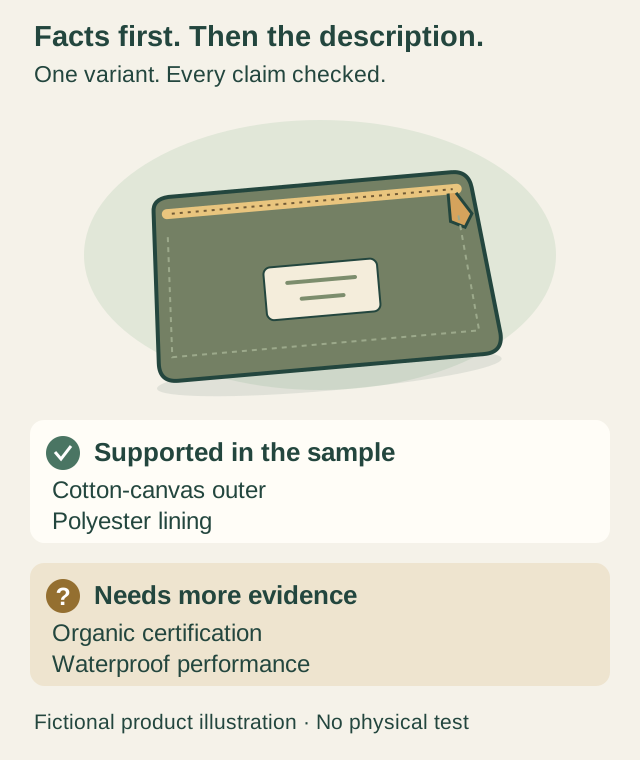
Unknown or unapproved: organic certification, recycled content, waterproofing, how much weight it can hold, which devices fit, country of manufacture, warranty, delivery terms, current stock and price. Do not fill these gaps from a competitor’s listing or a similar pouch.
Reject Copy That Adds Unsupported Claims
This made-up description deliberately adds claims that the sample details do not support:
Our premium, 100% organic cotton pouch is waterproof, fits every phone charger and includes a lifetime guarantee with free next-day delivery.
It sounds specific, but most of its selling points have no support in the sample fact sheet.
| Statement in the draft | Check against the facts | What to change |
|---|---|---|
| “Premium” | No clear basis for this quality claim | Remove it |
| “100% cotton” for the whole pouch | F02 includes a polyester lining | Describe the outer and lining separately |
| “Organic” | No certification or other suitable proof | Leave it out until you have proof |
| “Waterproof” | No relevant test or product record | Leave it out; cotton canvas alone does not prove this |
| “Fits every phone charger” | F03 gives outside measurements, not inside space or proof that every charger fits | Leave it out; check the actual fit before naming a compatible item |
| “Lifetime guarantee” | No checked guarantee terms | Leave it out; confirm the terms separately |
| “Free next-day delivery” | No checked delivery charge, service area or delivery promise | Leave it out; check your store’s current delivery information separately |
“Unknown” is not the same as “false.” The review decision is to leave the claim out until there is enough evidence to support it.
A Checked Product Description
The example is for people organising small stationery items. The phrase cotton canvas zip pouch matches F01 and F02. “Organic waterproof pouch” does not.
Olive Cotton Canvas Zip Pouch
Keep small stationery together in this olive zip pouch. The outer fabric is cotton canvas, with a polyester lining inside. A zip fastener opens into one compartment.
- External dimensions, measured empty: 20 × 12 × 5 cm.
- Interior: one compartment with no inner pockets.
- In the package: one pouch; props are not included.
- Care: wipe gently with a dry, soft cloth.
Before approving even this simple version, check each statement against the fact sheet:
| Final-copy statement | Detail IDs | What to check |
|---|---|---|
| Olive cotton canvas zip pouch | F01, F02, F04 | Product type, outer fabric and exact colour variant |
| Keep small stationery together | F06 | Intended use; no promise that every pen or other item fits |
| Polyester lining | F02 | Lining is not described as cotton |
| Zip fastener and one compartment, no inner pockets | F05 | Layout and closure match the variant |
| External, empty dimensions of 20 × 12 × 5 cm | F03 | Same numbers and unit; clearly labelled as outside measurements taken empty |
| One pouch; props excluded | F07 | Package quantity and exclusions |
| Dry, soft-cloth care instruction | F08 | Care wording matches the source |
This table checks the wording against the sample details. For your listing, check each statement against your own product records.
Check the Draft Yourself Before Publishing
Use the AI’s table to help with your review, then read the actual description yourself:
- Read the title, bullets and captions. Check every statement about the product, including short summaries.
- Open your original records. Make sure each detail belongs to the exact colour, size or model you sell.
- Check numbers and materials. Keep outside and inside measurements separate. A cotton outer fabric does not make the whole pouch cotton.
- Check promises about use. “For small stationery” does not prove that a particular charger or device fits.
- Remove anything you cannot confirm. Ask the supplier for proof where needed. An AI’s confident answer is not proof.
- Read the final listing. Make sure the title, size and colour options, photos, description and package contents agree. Check any store terms shown alongside it too.
Save the checked fact sheet with the final description. Use both when you update the listing later. For help organising your other tools and records, see our solo-business setup checklist.
Adapt the Copy for Your Store or Marketplace
Check the current rules where you will publish. A marketplace may have its own title format, required product fields and category rules. Edit the draft to fit those rules without adding details you cannot confirm.
If you submit products to Google Shopping
This extra step applies if you send product data through Google Merchant Center, which manages listings for Google Shopping and other Google surfaces.
Google’s description guidance says AI-created descriptions must use the structured_description field, with digital_source_type set to trained_algorithmic_media. These names identify fields in the product data you submit. They are not your webpage’s HTML meta-description tag.
Check how your store connection or product-data file supports these fields. Pasting the text onto a product page does not complete this step. Google also requires the submitted description to match the page and other product data. Keep prices and delivery promotions out of this description field; submit them in the appropriate separate fields.
For help choosing writing, design and everyday business tools, see our AI tools for small business owners guide.
Download the Prompt and Fact-Sheet Worksheet
Download the free product-description worksheet (.md). It includes the prompt, a blank fact sheet, a review checklist and the pouch example.
- Open the downloaded file in Notepad or a Markdown editor. Markdown is plain text with simple formatting marks.
- Save a separate copy for each product colour, size or model. You can also copy the text into a document you already use.
- Fill in your checked details, copy the prompt into your chosen AI tool and review the draft using the checklist.
The worksheet is free to download and needs no account to open. It is not a spreadsheet and does not check facts automatically. Remove detail IDs and unanswered questions from the description customers will see. Your chosen AI service may have its own account requirements or charges.
FAQ
Can AI write a product description for me?
Yes. Give it checked details for the exact colour, size or model you sell, who it is for and the format you need. Check the finished description against your product records before publishing.
What should an AI product description prompt include?
Include checked product details, a simple ID for each detail, the exact colour or size, the customer and the format you need. Tell the AI to leave out unknown details and flag disagreements. Ask it to show which detail supports each statement in a separate table.
Can I use a supplier photo instead of a fact sheet?
A photo can help you decide what to check. It cannot confirm hidden materials, measurements, certifications, durability or fit. Get suitable product records before making those statements.
Should I add keywords to the description?
Use words customers would use for the product, as long as they match the checked details. Cotton canvas zip pouch fits this example; organic waterproof pouch does not. Do not repeat a keyword unnecessarily or use it to add an unproven feature.
Is the AI’s claim table enough to approve the copy?
No. The table can miss a statement, use the wrong detail ID or repeat a guess. Read the title and description yourself, compare them with your original product records and check the publishing platform’s rules.